In the rapidly evolving landscape of digital insurance, efficiency is paramount. Insurance companies are constantly seeking ways to streamline operations, improve customer experiences, and gain a competitive edge. While Enterprise Resource Planning (ERP) systems offer a robust backbone for managing core business processes, their true potential is often unlocked when seamlessly integrated with Customer Relationship Management (CRM) systems. The synergy between CRM and ERP provides a holistic view of the customer journey, enabling data-driven decision-making and enhanced operational efficiency.
This article delves into the critical role of CRM in maximizing ERP efficiency within digital insurance systems. We’ll explore practical CRM tips, features, and strategies that can help insurance companies leverage the combined power of these technologies to achieve greater agility, profitability, and customer satisfaction. From optimizing lead management to automating policy renewals, we’ll uncover actionable insights that can be implemented across various aspects of the insurance value chain. By understanding how to effectively integrate and utilize CRM within an ERP framework, insurance companies can unlock a new level of operational excellence.
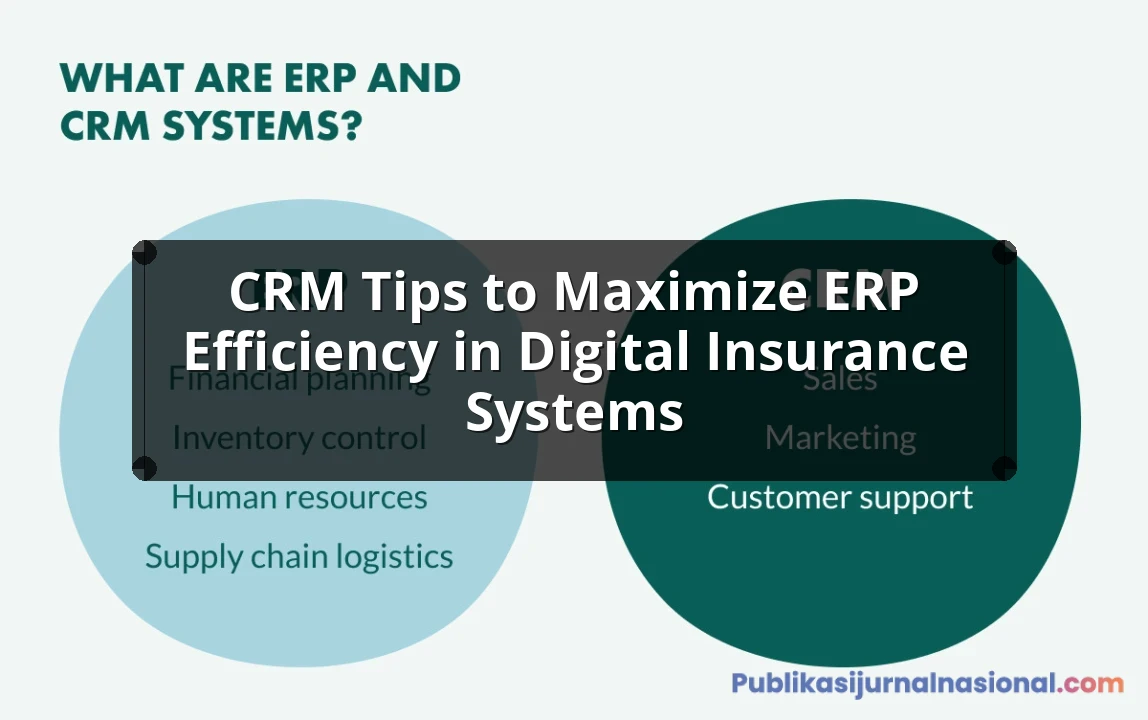
Think of it this way: ERP is the engine of your insurance business, handling the core functions like finance, underwriting, and claims processing. CRM, on the other hand, is the steering wheel, guiding the business towards customer satisfaction and revenue generation. When these two are perfectly aligned, you have a well-oiled machine capable of navigating the complexities of the digital insurance market. This guide will provide you with the roadmap to achieve that perfect alignment, offering concrete tips and real-world examples to help you maximize the return on your CRM and ERP investments.
Understanding the CRM–ERP Synergy in Digital Insurance
The integration of CRM and ERP systems is not merely a technical endeavor; it’s a strategic imperative for digital insurance companies. While ERP focuses on internal operations, CRM concentrates on external interactions with customers and prospects. When these systems work together, they create a unified platform that breaks down data silos and fosters collaboration across departments.
What is ERP in Insurance?
ERP systems in the insurance industry manage core operational processes such as:
- Policy Administration: Managing policy creation, modification, and renewals.
- Claims Processing: Handling claims from submission to settlement.
- Financial Management: Managing accounting, budgeting, and financial reporting.
- Underwriting: Assessing risk and determining premiums.
- Compliance: Ensuring adherence to regulatory requirements.
What is CRM in Insurance?
CRM systems in insurance focus on:
- Lead Management: Capturing and nurturing leads to convert them into customers.
- Sales and Marketing Automation: Streamlining sales processes and marketing campaigns.
- Customer Service: Providing efficient and personalized customer support.
- Relationship Management: Building and maintaining strong customer relationships.
- Data Analytics: Analyzing customer data to identify trends and opportunities.
Benefits of CRM–ERP Integration
The benefits of integrating CRM and ERP in digital insurance are numerous:
- Improved Customer Experience: Access to a 360-degree view of the customer, enabling personalized interactions and faster service.
- Increased Sales Efficiency: Streamlined sales processes and automated lead nurturing.
- Enhanced Operational Efficiency: Reduced manual data entry and improved data accuracy.
- Better Decision-Making: Data-driven insights into customer behavior and business performance.
- Reduced Costs: Streamlined operations and improved resource allocation.
CRM Tips to Maximize ERP Efficiency
Here are some actionable CRM tips to maximize ERP efficiency in digital insurance systems:
1. Centralize Customer Data
One of the most significant benefits of CRM–ERP integration is the centralization of customer data. Ensure that all customer information, including contact details, policy information, claims history, and interaction logs, is stored in a single, accessible database. This eliminates the need for employees to search through multiple systems to find the information they need, saving time and improving data accuracy. Implement data governance policies to ensure data quality and consistency across both systems. A single source of truth empowers customer service representatives to provide informed assistance and enables sales teams to tailor their approach based on a complete understanding of the customer’s needs.
2. Automate Lead Management and Sales Processes
Automate the process of capturing, qualifying, and nurturing leads using CRM tools. Integrate your CRM with your ERP system to automatically create customer accounts and policies when a lead converts into a customer. This eliminates manual data entry and reduces the risk of errors. Implement workflows to automate sales tasks such as sending follow-up emails, scheduling appointments, and generating quotes. By automating these processes, you can free up your sales team to focus on building relationships and closing deals. For example, when a lead requests a quote through the CRM, the ERP system can automatically calculate the premium based on the risk assessment data and generate a proposal that is sent back to the CRM for the sales team to present.
3. Optimize Policy Renewals
Policy renewals are a critical revenue stream for insurance companies. Use CRM to track policy expiration dates and automate renewal reminders. Integrate your CRM with your ERP system to automatically generate renewal quotes based on the customer’s current policy and risk profile. This ensures that customers receive timely and accurate renewal offers, increasing the likelihood of renewal. Personalize renewal offers based on customer preferences and past interactions. For instance, if a customer has consistently opted for a higher level of coverage in the past, the renewal offer can automatically include an option for an even higher level of protection. This proactive approach not only increases renewal rates but also strengthens customer loyalty.
4. Enhance Customer Service
Provide exceptional customer service by leveraging CRM to track customer inquiries, complaints, and resolutions. Integrate your CRM with your ERP system to provide customer service representatives with access to all relevant customer information, including policy details, claims history, and payment information. This enables them to resolve customer issues quickly and efficiently. Implement self-service portals where customers can access policy information, submit claims, and track their status. By empowering customers to help themselves, you can reduce the workload on your customer service team and improve customer satisfaction. For example, a customer can log into the portal, view their policy details pulled directly from the ERP system, and initiate a claim, which is then automatically routed to the appropriate claims adjuster within the ERP system.
5. Leverage Data Analytics for Insights
Use CRM and ERP data to gain insights into customer behavior, market trends, and business performance. Analyze customer data to identify opportunities for cross-selling and upselling. Track key performance indicators (KPIs) such as customer acquisition cost, customer lifetime value, and renewal rates to measure the effectiveness of your CRM and ERP initiatives. Use these insights to make data-driven decisions and optimize your business processes. For example, analyze customer demographics and policy preferences to identify target markets for new insurance products. By understanding your customers and your business better, you can make more informed decisions and drive growth. Consider implementing advanced analytics tools that can identify patterns and correlations in the data that might not be immediately obvious, providing a deeper understanding of customer behavior and market dynamics.
6. Automate Claims Processing Updates
Keep customers informed about the status of their claims by automating updates through the CRM system. Integrate the ERP claims processing module with the CRM to trigger automated notifications to the customer at various stages of the claim lifecycle, such as claim submission, approval, investigation, and settlement. This proactive communication reduces customer anxiety and improves satisfaction. Allow customers to track their claim status online through a self-service portal integrated with both the CRM and ERP. This transparency builds trust and reduces the number of inquiries to customer service. The automation should also include alerts to internal teams when a claim requires immediate attention or is approaching a critical deadline, ensuring timely resolution.
7. Personalize Marketing Campaigns
Use the combined data from CRM and ERP to segment customers and personalize marketing campaigns. Tailor messages and offers based on customer demographics, policy types, claims history, and interaction preferences. For instance, offer discounts on complementary insurance products to customers who have recently filed a claim. Send targeted email campaigns to customers whose policies are expiring soon, highlighting the benefits of renewing. Personalization increases engagement and conversion rates. Use A/B testing to optimize marketing messages and offers. Continuously analyze the results of your campaigns to identify what works best and refine your approach. This iterative process ensures that your marketing efforts are always aligned with customer needs and preferences.
8. Streamline Communication Channels
Integrate your CRM with various communication channels, such as email, phone, chat, and social media, to provide a seamless customer experience. Ensure that all customer interactions are logged in the CRM, regardless of the channel. This provides a complete view of the customer’s communication history. Use CRM to route customer inquiries to the appropriate agent or department based on the nature of the inquiry. Implement chatbots to handle simple inquiries and free up agents to focus on more complex issues. By streamlining communication channels, you can improve customer satisfaction and reduce response times. Consider using a unified communication platform that integrates seamlessly with both your CRM and ERP systems, providing a single interface for managing all customer interactions.
9. Implement Role-Based Access Control
Implement role-based access control to ensure that employees only have access to the data they need to perform their jobs. This protects sensitive customer information and reduces the risk of data breaches. Define clear roles and responsibilities for each user group and assign appropriate permissions. Regularly review and update access control policies to ensure they are aligned with business needs. A well-defined access control policy is crucial for maintaining data security and compliance with regulatory requirements. It also helps to prevent unauthorized access to sensitive information, protecting both the company and its customers.
10. Provide Ongoing Training and Support
Ensure that employees are properly trained on how to use the CRM and ERP systems. Provide ongoing training and support to help them stay up-to-date with new features and best practices. Encourage employees to provide feedback on the systems and use their input to improve the user experience. A well-trained workforce is essential for maximizing the benefits of CRM and ERP integration. Invest in training programs that cover all aspects of the systems, from basic navigation to advanced features. Provide ongoing support through help desk resources, training materials, and mentorship programs. By empowering employees to use the systems effectively, you can improve productivity and customer satisfaction.
Choosing the Right CRM and ERP Solutions
Selecting the right CRM and ERP solutions is crucial for success. Consider the following factors when making your decision:
Business Requirements
Identify your specific business requirements and choose solutions that meet those needs. Consider the size and complexity of your organization, the types of insurance products you offer, and your target market. A solution tailored to the insurance industry is often preferable to a generic one.
Integration Capabilities
Ensure that the CRM and ERP solutions you choose can be easily integrated with each other and with other systems you use. Look for solutions that offer pre-built integrations or APIs that allow for seamless data exchange.
Scalability
Choose solutions that can scale with your business as it grows. Consider the number of users, the volume of data, and the complexity of your operations. A scalable solution will ensure that you can continue to meet your business needs as your company expands.
Vendor Reputation and Support
Research the vendor’s reputation and track record. Look for vendors that have a strong history of providing reliable and high-quality solutions. Ensure that the vendor offers comprehensive support and training services.
Cost
Consider the total cost of ownership, including the cost of software, implementation, training, and support. Compare the costs of different solutions and choose the one that offers the best value for your money. Remember that the cheapest option is not always the best; it’s important to consider the long-term benefits and potential return on investment.
Conclusion
Integrating CRM and ERP systems is a strategic imperative for digital insurance companies seeking to improve efficiency, enhance customer experience, and drive growth. By implementing the CRM tips outlined in this article, insurance companies can unlock the full potential of their ERP systems and achieve a competitive edge in the rapidly evolving digital landscape. From centralizing customer data to automating claims processing updates, these strategies can transform the way insurance companies operate and interact with their customers. Embracing the synergy between CRM and ERP is not just about technology; it’s about building a customer-centric culture that drives innovation and success.
Frequently Asked Questions (FAQ) about CRM Tips to Maximize ERP Efficiency in Digital Insurance Systems
How can CRM data improve ERP in insurance?
CRM data enriches ERP systems by providing valuable customer insights. This allows for better risk assessment, personalized policy offerings, and more efficient claims processing. A consolidated view improves overall insurance operations.
What CRM features boost ERP efficiency?
Lead management in CRM helps ERP forecast sales accurately. Automated workflows streamline data entry, reducing errors and saving time. Integrated reporting provides a unified view of customer and financial data.
Why integrate CRM and ERP for insurance?
Integrating CRM and ERP eliminates data silos, creating a single source of truth. This improves decision-making, enhances customer service, and optimizes resource allocation. It ultimately drives profitability for insurance companies.